How Hindsight Learns: A Deep Dive Into Mental Models
Mental models are the top tier of Hindsight's learning hierarchy — persistent, self-refreshing understandings of the topics your agent asks about every session. A walkthrough from the schema up.
 By Ben Bartholomew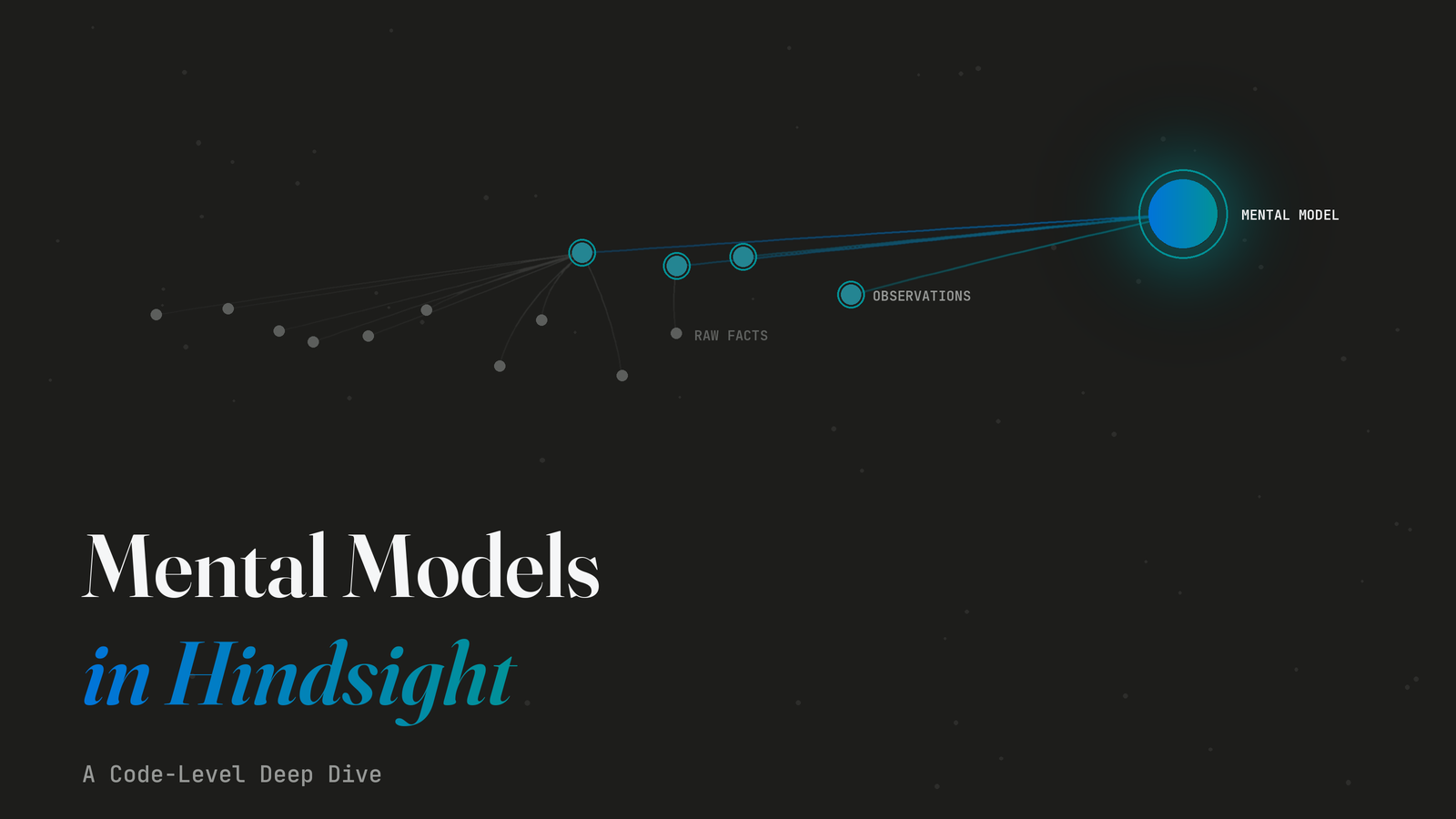
Hindsight learns in three stages. Raw facts are what was said — individual memories extracted from the agent's conversations. Observations are what Hindsight has noticed across many facts — auto-consolidated patterns and conclusions. Mental models are what Hindsight has come to understand — stable, named documents that evolve every time the bank gets new evidence. They sit at the top of the retrieval hierarchy because that's where the learning lives.
For the questions your agent asks every session — "what are this user's preferences?", "what are this project's conventions?" — re-deriving the answer from raw facts every turn is wasteful. Worse, it's brittle: synthesis output drifts session-to-session because every reflect call starts from scratch. Mental models replace that with a persistent representation that Hindsight has been refining all along.
This post is the technical reference for how the top tier actually works — schema, refresh logic, the tag-matching policy that quietly bites people, and the two refresh modes (full and delta) you have to choose between.
What a Mental Model Actually Is
From the docs:
Mental models are saved reflect responses that you curate for your memory bank. When you create a mental model, Hindsight runs a reflect operation with your source query and stores the result. During future reflect calls, these pre-computed summaries are checked first — providing faster, more consistent answers.
That's the conceptual core. Technically, a mental model is a row in the mental_models table with:
- A
source_query(what to ask) - A
contentfield (the synthesized answer) - A
triggerconfig (when to refresh) - Optional
tags(which memories feed it, and who can see it)
Reflect uses a three-tier retrieval hierarchy. The system prompt the reflect agent receives spells it out:
### 1. MENTAL MODELS (search_mental_models) - Try First
- User-curated summaries about specific topics
- HIGHEST quality - manually created and maintained
- If a relevant mental model exists and is FRESH, it may fully answer the question

### 2. OBSERVATIONS (search_observations) - Second Priority
- Auto-consolidated knowledge from memories

### 3. RAW FACTS (recall) - Ground Truth
- Individual memories (world facts and experiences)
Mental models sit at the top of that hierarchy. The agent looks at them first, then drops down to observations, then raw facts. The further down it has to go, the more synthesis it has to do — and the slower the response.
The Schema
The mental_models table has these columns worth knowing:
| Column | Notes |
|---|---|
id + bank_id | Composite primary key — text IDs, scoped per bank |
source_query | The natural-language query refresh runs through reflect |
content | The synthesized text — what the agent reads when it pulls the model |
trigger | JSONB config: mode, refresh_after_consolidation, fact_types, tags_match, etc. |
tags | JSONB array — gates both which memories feed the model AND who can read it |
max_tokens | Per-model cap on synthesis output (default 2048) |
structured_content | JSONB AST of the parsed content — the secret weapon for delta-mode refresh |
last_refreshed_source_query | Tracks query changes between refreshes to detect topic shifts |
reflect_response | Full reflect payload from the last refresh, including based_on provenance |
last_refreshed_at | ISO timestamp of the most recent successful refresh |
history | JSONB array of prior content versions |
embedding | 384-d vector of name + content for graph integration |
The composite (id, bank_id) primary key means each bank's mental models live in their own namespace. You can have user-preferences in bank-alice and user-preferences in bank-bob and they're entirely separate records — no id collisions across banks.
The Two Refresh Modes
This is the single most important choice when you create a mental model. The two modes are really two postures for the same job: incorporating new evidence into what the model already understands. full re-derives everything from current evidence. delta keeps the prior understanding and folds new evidence in. Pick the one that matches how your topic actually evolves.
The trigger.mode field is Literal["full", "delta"]. The full trigger schema:
class MentalModelTriggerOutput(BaseModel):
    mode: Literal["full", "delta"] = Field(default="full", ...)
    refresh_after_consolidation: bool = Field(default=False, ...)
    fact_types: list[Literal["world", "experience", "observation"]] | None = ...
    exclude_mental_models: bool = ...
    exclude_mental_model_ids: list[str] | None = ...
    tags_match: TagsMatch | None = ...
    tag_groups: list[TagGroup] | None = ...
    include_chunks: bool | None = ...
    recall_max_tokens: int | None = ...
    recall_chunks_max_tokens: int | None = ...
full — regenerate from scratch (default)
The default. Every refresh runs the full reflect pipeline against the bank, synthesizes a new document from scratch, and overwrites the previous content. Simple, predictable, and the right pick for short documents or models where the final shape might shift over time.
delta — surgical edits to the existing document
Delta mode is more interesting. From the reference doc:
Refresh emits typed operations:
add section,append bullet,replace block,remove stale paragraph. Sections not targeted by operations are copied byte-identical — no paraphrasing, no whitespace drift, no list-style normalization.
This is the right pick for long-lived "playbook"-style models — documents you want to evolve incrementally without the LLM rewriting the parts that didn't need to change.
The refresh_mental_model decision logic:
- Parse
trigger.mode. Ifdelta, check whether the existingcontentis non-empty — a page that has never refreshed carries an empty body. (Pages created by older versions carry a"Generating content..."placeholder instead; that is treated as empty too.) - Check whether
source_queryhas changed sincelast_refreshed_source_query. - If both checks pass, run the delta path. Otherwise, fall back to full synthesis.
The fallback is automatic and silent — you can't accidentally delta-edit a model that doesn't have a baseline yet, and you can't delta-edit a model whose source query just changed (because the prior content may no longer be relevant).
Delta refresh only looks at new facts
When the delta path runs, the recall call is scoped temporally: refresh adds created_after=last_refreshed_at to the reflect call, so the agentic loop only retrieves memories that arrived since the last refresh. The LLM then mixes those new facts into the existing structured content via add/replace operations. Nothing already represented in the model needs to be re-read, and nothing already represented in the model gets re-written from older facts. The inline comment in the refresh path puts it bluntly: "so the agentic loop only retrieves genuinely new information."
The byte-identical guarantee
In delta mode, only sections targeted by an operation get rewritten. Everything else is copied verbatim from the previous structured_content AST. That matters more than it sounds: if your mental model contains a checklist or a code block that the team has reviewed, delta mode guarantees the LLM won't quietly reword it.
Empty-content protection
Independent of mode, refresh has a "never overwrite with empty content" guard:
If LLM call fails or returns empty, existing content is preserved — refreshes never overwrite a populated document with empty content.
If reflect comes back with nothing — no matching memories, LLM failure, tag mismatch — the existing content stays. The refresh failure is recorded in the audit trail (reflect_response.refresh_skipped = "empty_candidate"), but the document the agent reads remains the last known good version.
Automatic Refresh on Consolidation
The other half of the trigger config is refresh_after_consolidation. Set it to true and the model refreshes automatically as part of Hindsight's consolidation cycle.
The hook function's docstring spells out the policy:
async def _trigger_mental_model_refreshes(
    memory_engine: "MemoryEngine",
    bank_id: str,
    request_context: "RequestContext",
    consolidated_tags: list[str] | None = None,
    perf: ConsolidationPerfLog | None = None,
) -> int:
    """
    Trigger refreshes for mental models with refresh_after_consolidation=true.

    SECURITY: Only triggers refresh for mental models whose tags overlap with the
    consolidated memory tags, preventing unnecessary refreshes across security boundaries.
    """
So consolidation doesn't refresh every model after every run — it only refreshes models whose tags overlap with the tags of the memories that consolidation just touched. A project:alice mental model only refreshes when the consolidator handled memories tagged project:alice. This is both a performance optimization (avoid pointless work) and a security property (don't leak refresh signal across tenant boundaries).
The refresh itself runs asynchronously via memory_engine.submit_async_refresh_mental_model(). The consolidation cycle never waits for refreshes to complete.
The Tag-Matching Foot-Gun
Tags on a mental model do two things, and you have to think about both:
- They control which memories the refresh path reads when generating content
- They control which reflect / recall calls can see the model
The default policy for #1 is all_strict — meaning during refresh, the model only sees memories carrying all of its tags. The resolution logic:
def _resolve_refresh_tag_filtering(model_tags, trigger_data):
    trigger_tags_match = trigger_data.get("tags_match")
    tags_match: TagsMatch = (
        trigger_tags_match if trigger_tags_match else
        ("all_strict" if model_tags else "any")
    )
    return RefreshTagFiltering(
        tags=model_tags,
        tags_match=tags_match,
        tag_groups=None,
    )
The reference doc spells out the implication:
Mental model tags:
["user:alice"]During refresh, it reads:
- ✅ "Alice prefers async communication" — has
"user:alice"- ✅ "Team uses Slack for announcements" — has
"user:alice"(plus other tags)- ❌ "Company policy: no meetings on Fridays" — untagged, excluded
- ❌ "Bob dislikes long meetings" — no
"user:alice"tag
And the warning that follows:
Adding tags to a mental model narrows the pool of source memories its refresh can read from. If no memories carry those tags yet, refresh will return empty content (e.g.
"I cannot find any information…") even though directreflecton the same query works.
The most common way this bites: you tag a mental model with something nothing in the bank carries. Refresh returns nothing. The empty-content guard kicks in, the existing (probably empty) document stays empty, and you spend an hour wondering why the model never gets generated.
The fix is either:
- Backfill the tag onto the source memories before the first refresh, or
- Override the default via
trigger.tags_match(e.g."any"to allow OR-matching,"any_strict"to OR-match but still exclude untagged).
Concrete pattern: when you're building a per-project memory bank with project:<name> tagging, make sure your retain pipeline already attaches the project tag before you seed mental models that depend on it. Seed first, tag retains second, and every refresh in between runs against an empty source pool — the empty-content guard then quietly keeps the placeholder text alive while you wonder why nothing's generating.
The Synthesis Prompt
When refresh runs, it calls reflect_async with a context parameter that tells the LLM specifically how to write a mental model:
refresh_context = (
    f'You are writing a document called "{mm_name}". '
    f"ONLY include content that directly answers the topic query. "
    f"Discard observations that are tangential or off-topic — retrieval may return "
    f"loosely related content that does not belong in this document.\n\n"
    f"Quality guidelines:\n"
    f"- Preserve concrete examples, before/after pairs, and sample sentences "
    f"from the observations. These teach more than abstract rules.\n"
    f"- If observations contain illustrative examples (e.g. ✅/❌ pairs, "
    f"rewrites, sample phrases), include them in your answer.\n"
    f"- Structure the document around the topic, not around the sources."
)
Two design choices in that prompt worth flagging:
-
"Discard observations that are tangential." The reflect agent will surface a wider set of memories than what belongs in a tightly-scoped mental model. The prompt instructs the LLM to filter, not just summarize.
-
"Structure the document around the topic, not around the sources." Without this, the model output tends to read like
"Memory A says X. Memory B says Y."rather than a coherent document. This one line of prompt steering matters more than its length suggests.
In delta mode, an additional system prompt (STRUCTURED_DELTA_SYSTEM_PROMPT) drives the typed-operation LLM call that decides what to add, edit, or remove. The model returns a DeltaOperationList which is then applied to the existing AST — that's what gives you the byte-identical guarantee for unchanged sections.
Detail Levels: Pay for What You Need
The list and get endpoints support a detail parameter with three levels:
| Level | Includes | Use case |
|---|---|---|
metadata | id, bank_id, name, tags, last_refreshed_at, created_at | "What models exist in this bank?" |
content | metadata + source_query, content, max_tokens, trigger | Agent boot — load the actual text into the prompt |
full | content + reflect_response provenance | Deep inspection or audit |
The docs are emphatic about which to use when:
Use
detail=contentfor agent orientation flows. It includes everything the agent needs without the heavyweightreflect_responseprovenance chains, which can exceed 200KB for banks with many models.
If you're calling list_mental_models in the boot path to render the cached block, ask for content and skip the 200KB-per-model provenance payload. If you're debugging why a model generated weird output, ask for full and inspect what reflect actually returned.
Clear vs Refresh
Two operations that look similar:
refresh_mental_model— regeneratecontentusing current memories. Respectsmode(delta or full).clear_mental_model— setcontentto empty so the next refresh has no baseline to delta-edit against, which forces it to fall back to full synthesis.
The doc explains why this matters:
For long-lived delta-mode mental models, consider scheduling a periodic clear + refresh (e.g. every 48 hours) to keep the content accurate while still benefiting from incremental delta updates in between.
The pattern is: rely on delta-mode refresh for the cheap, frequent, low-churn updates that consolidation triggers; periodically clear + refresh to rebuild the document from scratch and reset any drift that has accumulated across many small edits.
A Worked Example
Here's a complete loop using the Python client. Build a "User Preferences" model that refreshes whenever the consolidator processes new memories:
from hindsight_client import Hindsight

client = Hindsight(base_url="https://api.hindsight.vectorize.io", api_key="hsk_...")

# Create the model
mm = client.create_mental_model(
    bank_id="my-app",
    name="User Preferences",
    source_query=(
        "What does the user prefer in coding style, tooling, communication, "
        "and review? Capture only durable preferences expressed across "
        "sessions, not one-off requests."
    ),
    max_tokens=600,
    trigger={
        "mode": "delta",
        "refresh_after_consolidation": True,
    },
)
print(f"created {mm['id']}")

# Trigger the first refresh manually (creation is async, but the first refresh
# would otherwise wait for consolidation).
client.refresh_mental_model(bank_id="my-app", mental_model_id=mm["id"])

# Later — on agent boot, load the model into the system prompt.
model = client.get_mental_model(bank_id="my-app", mental_model_id=mm["id"])
prompt_block = f"<user_preferences>\n{model['content']}\n</user_preferences>"
After a few sessions, the next time consolidation runs against my-app, the model auto-refreshes via the refresh_after_consolidation hook. Because mode: "delta", only the parts of the document that need to change are rewritten; the rest is preserved byte-for-byte.
Once a week or so, run clear_mental_model to rebuild from scratch:
client.clear_mental_model(bank_id="my-app", mental_model_id=mm["id"])
client.refresh_mental_model(bank_id="my-app", mental_model_id=mm["id"])
This pattern — delta most of the time, occasional clear-and-rebuild — is what the docs explicitly recommend for long-lived models.
The REST and Client Surface
| Method | Endpoint | Python client |
|---|---|---|
POST | /v1/default/banks/{bank_id}/mental-models | create_mental_model() |
GET | /v1/default/banks/{bank_id}/mental-models | list_mental_models() |
GET | /v1/default/banks/{bank_id}/mental-models/{id} | get_mental_model() |
PATCH | /v1/default/banks/{bank_id}/mental-models/{id} | update_mental_model() |
DELETE | /v1/default/banks/{bank_id}/mental-models/{id} | delete_mental_model() |
POST | /v1/default/banks/{bank_id}/mental-models/{id}/refresh | refresh_mental_model() |
POST | /v1/default/banks/{bank_id}/mental-models/{id}/clear | clear_mental_model() |
GET | /v1/default/banks/{bank_id}/mental-models/{id}/history | get_mental_model_history() |
All client methods have async (a*-prefix) variants. The MCP server exposes the same operations as tools (create_mental_model, refresh_mental_model, etc.), so a Claude / Cursor / Codex agent talking to Hindsight via MCP can create and refresh models directly.
What Shipped When
Mental models have evolved across releases. The major milestones:
- v0.4.0 (2026-01-28) — Mental models shipped. Launch post.
- v0.5.0 (2026-04-07) — Bank Template Hub. Mental models can be defined in portable template manifests and matched by
idon import. - v0.5.2 (2026-04-15) — Recall controls on the trigger API: tune
fact_types,tags_match,include_chunks,recall_max_tokensper-model. - v0.5.3 (2026-04-17) — Delta mode shipped. Refreshes emit structured operations instead of regenerating from scratch.
- v0.7.0 (2026-05-27) —
clear_mental_modelendpoint, plus history capped to prevent JSONB overflow and full refreshes correctly rebase pending delta baselines.
What to Watch For
Five gotchas that come up in practice:
- The
all_stricttag default. If your model has tags, the refresh path only sees memories carrying all of them. If nothing carries those tags yet, refresh returns empty. - Topic shift falls back to full. Changing
source_queryinvalidates the delta baseline; the next refresh re-synthesizes from scratch. - Delta drift over time. Many small delta refreshes can accumulate small inaccuracies. Periodic
clear+refreshrebuilds a clean baseline. - Use
detail=contentin hot paths. Thefulldetail level can return 200KB+ per model — fine for inspection, ruinous if you call it on every agent boot. - Bank-scoped IDs. A mental model is
(id, bank_id)— the sameidacross two banks is two different records. Plan for that when designing ID conventions.
The Whole Idea
Mental models are how Hindsight learns the things your agent asks about repeatedly. Raw facts capture what was said. Observations capture what Hindsight noticed across them. Mental models capture what Hindsight has come to understand — and unlike the first two tiers, they're stable, named, and refined incrementally as new evidence lands.
The performance win — instant retrieval, no per-turn synthesis — is the side-effect. The real win is that your agent stops re-deriving its understanding of a stable topic every session and starts working from a representation Hindsight has been refining all along.
Further reading:
- Mental Models API reference — the official doc, with the full schema and endpoint reference
- Using Entity Labels to Automatically Tag Memories — controlled-vocabulary tagging, which often determines what your mental models can see
- What's new in Hindsight 0.5.3 — delta-mode refresh launch
- What's new in Hindsight 0.7.0 — clear endpoint, history hardening
- What Is Agent Memory? — foundational concepts