Your OpenClaw Agents Are Strangers to Each Other. Hindsight Changes That.

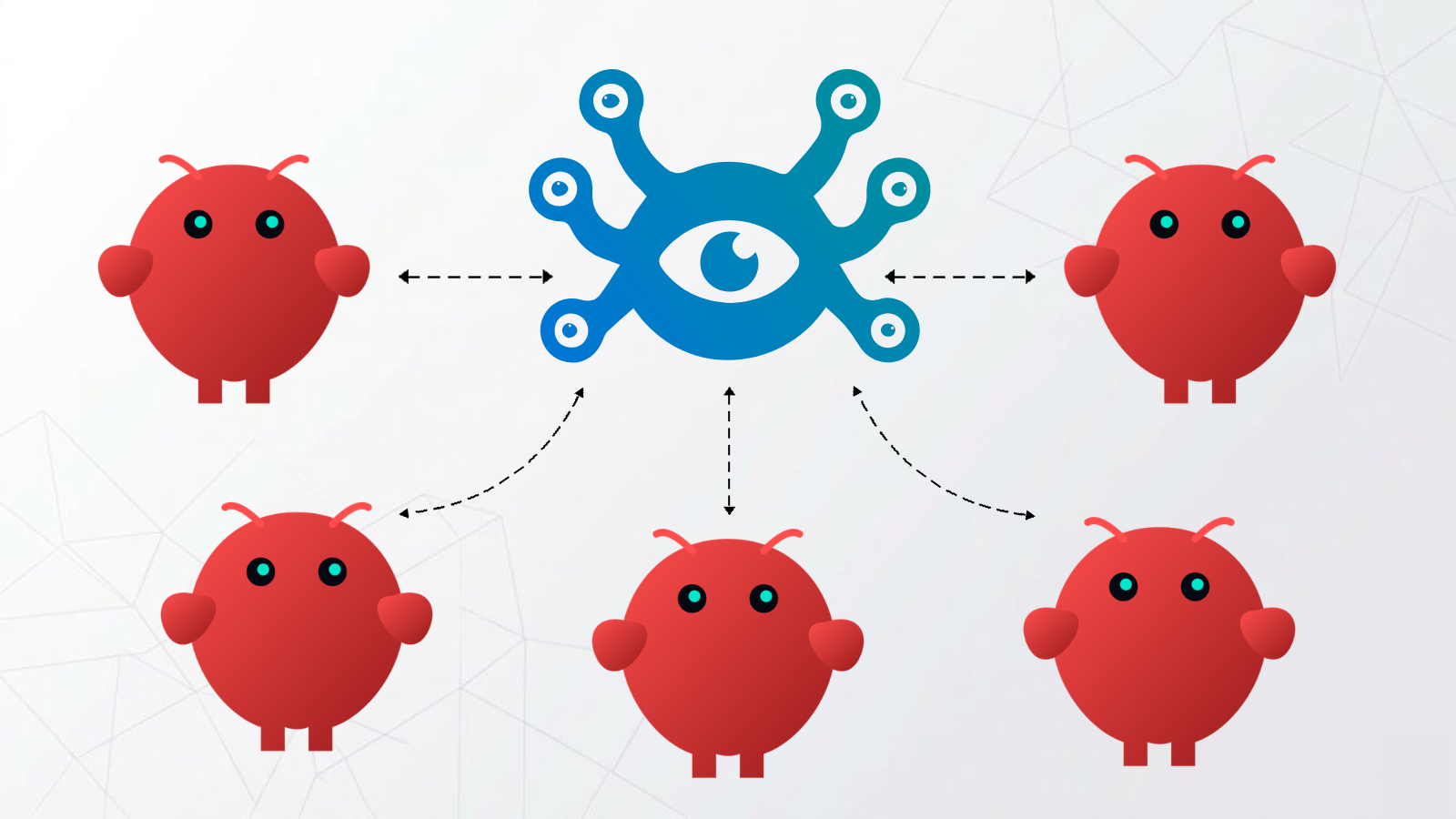
You're running more than one OpenClaw instance. Maybe one handles customer support, one serves your dev team, one is a personal assistant. Each instance is doing its job — having conversations, picking up context, learning what matters. But by default, none of that learning is shared. One instance figures something out; every other instance starts from zero.
A team of agents that can't share memory isn't really a team.
Hindsight solves this with shared memory banks — a single store that every instance reads from and writes to. One agent learns something; every agent knows it. One config change.
Why Instances Learn in Silos
The hindsight-openclaw plugin creates separate memory banks by default. Each instance derives its own bank ID from its configuration:
Instance A  →  bank: openclaw-instance-a
Instance B  →  bank: openclaw-instance-b
Instance C  →  bank: openclaw-instance-c
This default makes sense when you want full isolation. But when your instances are working for the same users or operating on the same project, it means every agent is learning independently — and none of that learning compounds.
Setup
Step 1: Get a Hindsight API endpoint
The shared bank requires an external Hindsight server that all instances can reach. The fastest option is Hindsight Cloud — sign up, create a bank, and get an API URL and token.
If you need full data control, you can self-host Hindsight on your own infrastructure instead.
Step 2: Configure an LLM provider for extraction
Hindsight needs an LLM to extract facts from conversations in the background. This is separate from your agent's primary model. Set one of these on each machine:
# OpenAI (uses gpt-4o-mini by default)
export OPENAI_API_KEY="sk-..."

# Anthropic (uses claude-3-5-haiku by default)
export ANTHROPIC_API_KEY="sk-ant-..."

# Gemini
export GEMINI_API_KEY="..."

# Claude Code or Codex (no key needed)
export HINDSIGHT_API_LLM_PROVIDER=claude-code
Any OpenAI-compatible endpoint works too — OpenRouter, a local model, etc. A small, cheap model is fine here; extraction doesn't need your most capable model.
Step 3: Install the plugin
Run this on every machine in the team:
openclaw plugins install @vectorize-io/hindsight-openclaw
You should see:
Exclusive slot "memory" switched from "memory-core" to "hindsight-openclaw".
Installed plugin: hindsight-openclaw
This confirms Hindsight has taken over the memory slot on that instance.
Step 4: Point every instance at the shared bank
Configure each instance to use the same Hindsight endpoint and disable per-instance bank derivation. In ~/.openclaw/openclaw.json on every machine running an instance:
{
  "plugins": {
    "entries": {
      "hindsight-openclaw": {
        "enabled": true,
        "config": {
          "hindsightApiUrl": "https://api.hindsight.vectorize.io",
          "hindsightApiToken": "hsk_your_token",
          "dynamicBankId": false
        }
      }
    }
  }
}
dynamicBankId: false disables the default bank derivation. All instances write to and read from the same bank. What one learns, all know.
┌──────────────┐   ┌──────────────┐   ┌──────────────┐
│  OpenClaw    │   │  OpenClaw    │   │  OpenClaw    │
│  Instance A  │   │  Instance B  │   │  Instance C  │
└──────┬───────┘   └──────┬───────┘   └──────┬───────┘
       │                  │                  │
       └──────────────────┼──────────────────┘
                          │
              ┌───────────▼───────────┐
              │   Hindsight Memory    │
              │   (shared bank)       │
              └───────────────────────┘
Pattern: Per-User Shared Memory
For some setups, a single global bank is too broad. If your instances serve multiple users, you may want each user's context to be consistent across instances — but not bleed between users.
Set dynamicBankGranularity to ["user"]:
{
  "plugins": {
    "entries": {
      "hindsight-openclaw": {
        "enabled": true,
        "config": {
          "hindsightApiUrl": "https://api.hindsight.vectorize.io",
          "hindsightApiToken": "hsk_your_token",
          "dynamicBankGranularity": ["user"]
        }
      }
    }
  }
}
Now every instance in your team shares memory per user. User A's context follows them across every instance. User B's context stays separate. The instances don't need to know anything about each other — they just recall what's relevant for the user they're talking to.
What Gets Shared
With a unified bank, knowledge accumulates across every instance in the team:
- User preferences: how they like responses structured, things to avoid, communication style
- Ongoing projects: what they're building, what stage it's at, who's involved
- Recurring context: schedules, key relationships, things being tracked
- Decisions and history: things users have mentioned, problems they're working through
Use retainMission to focus extraction on what actually travels:
{
  "retainMission": "Extract user preferences, ongoing projects, recurring commitments, and important context. Retain facts that would be useful in any future conversation. Skip ephemeral task details and one-off requests."
}
Without a focused mission, the bank accumulates everything. With one, only the context that generalizes across conversations gets retained.
What It Looks Like in Practice
A user tells one instance they're launching a product next Friday and need to protect their calendar. The conversation ends; Hindsight extracts those two facts into the shared bank.
The next day, the same user goes to a different instance and asks for help prioritizing their week. That instance already knows about the launch. The user didn't repeat themselves. They didn't paste in context. It just knew — because every instance in the team draws from the same memory.
Hosting Options
Both patterns require an external Hindsight server so all instances can connect to the same store.
| Option | Setup | Data control | Best for |
|---|---|---|---|
| Hindsight Cloud | Zero setup, one API token | Hosted by Vectorize | Most teams |
| Self-hosted | Deploy on your own infra via Docker | Fully yours | Privacy-sensitive setups |
| Local per-machine | Run hindsight-embed on each device | Local only | Single instance only, not shareable |
For most teams, Hindsight Cloud is the right starting point. Create an account, generate an API token, deploy the config across your instances. For setups requiring full data control, the self-hosted deployment gives you that.
Checklist
- Sign up for Hindsight Cloud (or self-host) and get your API URL and token
- Set an extraction LLM API key on each machine
- Run
openclaw plugins install @vectorize-io/hindsight-openclawon each machine - Add the shared bank config (
dynamicBankId: falseordynamicBankGranularity: ["user"]) to each instance - Optionally add a
retainMissionto focus what gets retained - Launch each instance — the bank builds from the first conversation
The more your instances interact, the more the shared bank accumulates. Every instance gets smarter from every other instance's conversations.
Set up the integration: OpenClaw · Memory banks reference