


Hermes Desktop
Configure Hindsight as the memory provider for the Hermes desktop app — entirely from Settings. No config.json, no .env, no terminal. Pick a mode, paste an API key, and Hermes remembers across every session.
Prefer the command line, or running Hermes as a CLI/gateway? See the Hermes Agent integration for the hermes memory setup wizard, plugin architecture, and the full configuration reference.
Setup
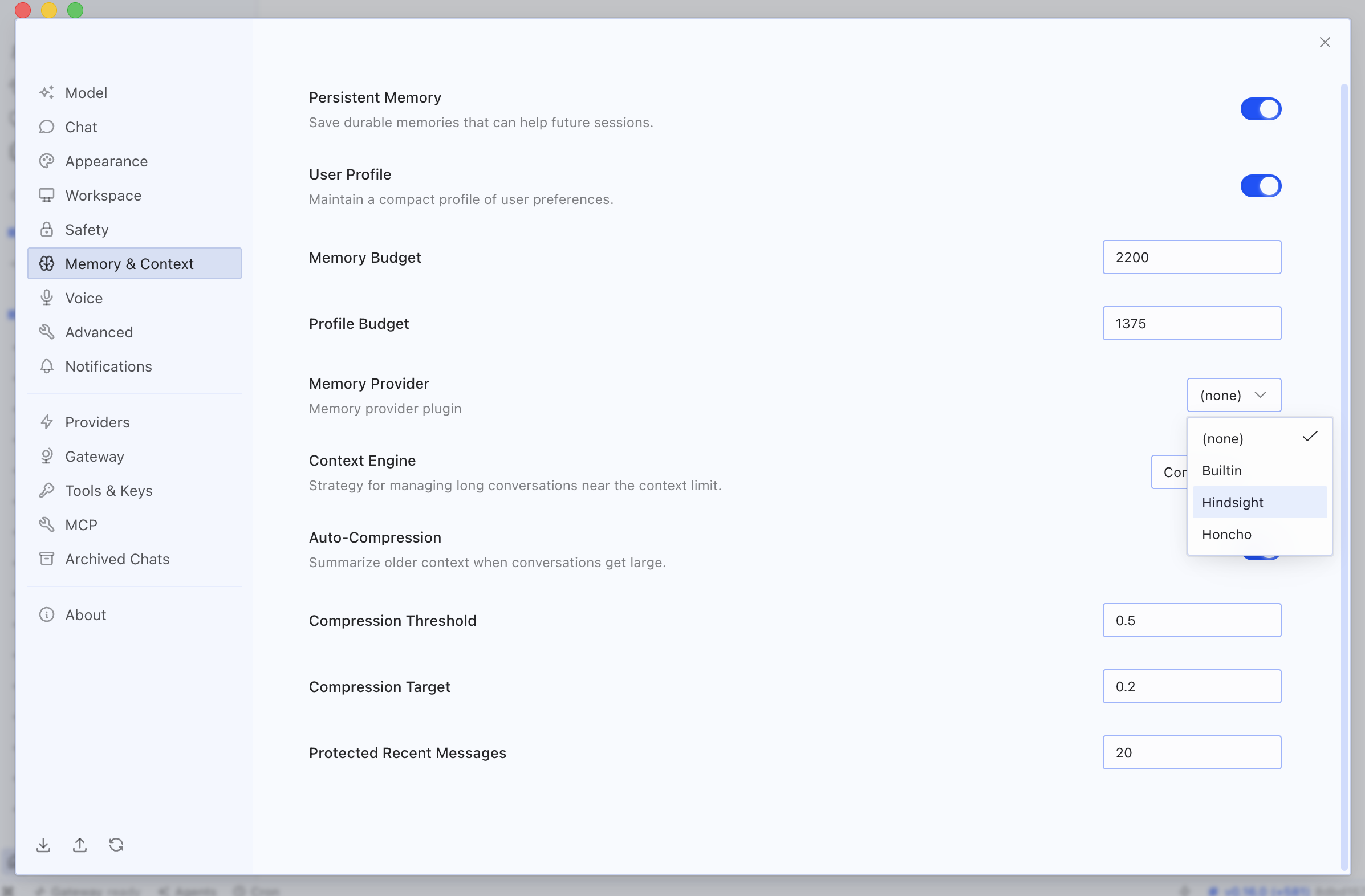
1. Open Settings → Memory & Context. In the Memory Provider dropdown, choose Hindsight.
2. Fill in the Hindsight settings panel. Selecting Hindsight reveals its configuration fields:
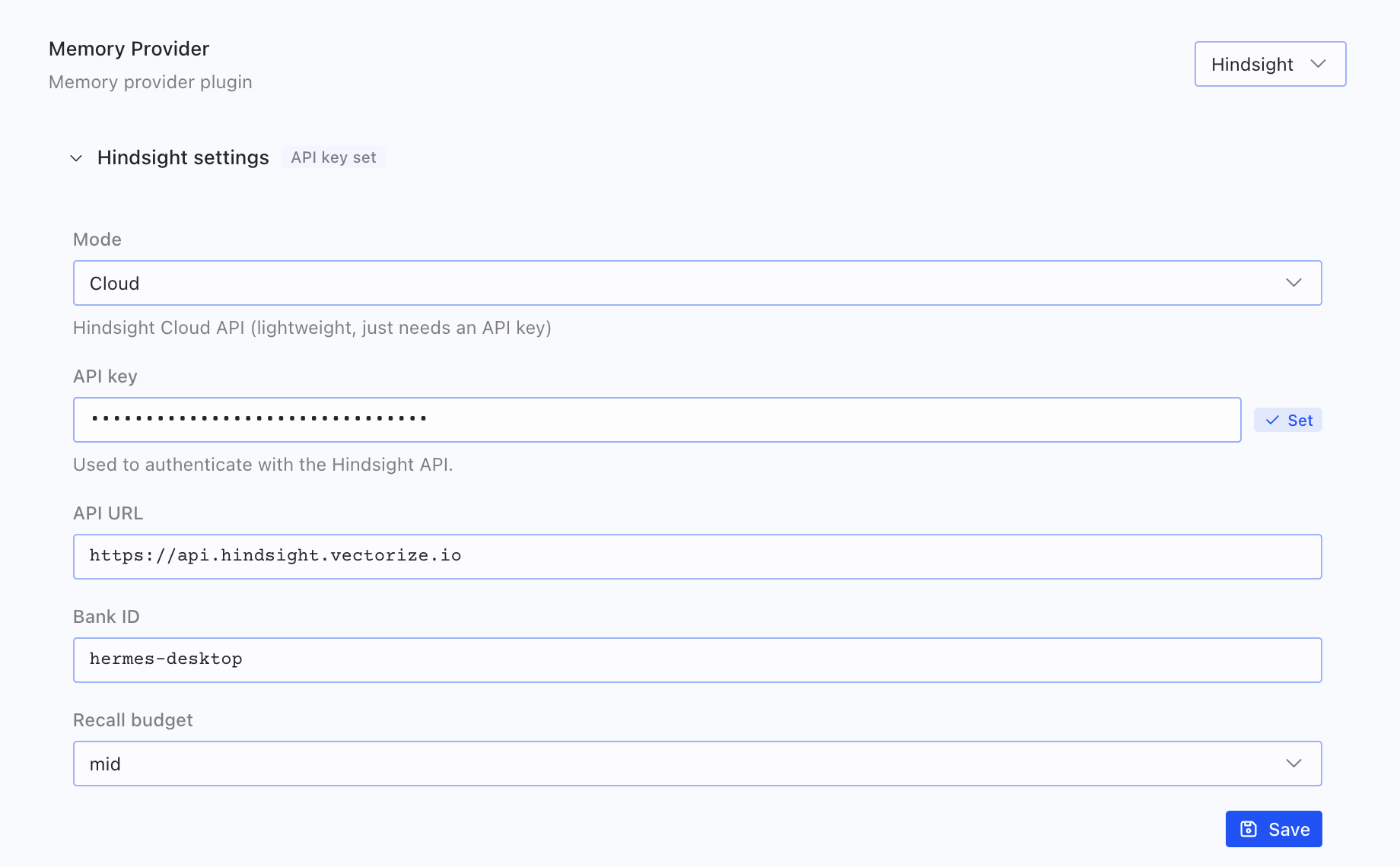
| Field | What it does | Default |
|---|---|---|
| Mode | Cloud (just needs an API key) or Local External (connect to an existing Hindsight instance) | Cloud |
| API key | Authenticates with the Hindsight API — stored as a write-only secret | — |
| API URL | The Hindsight endpoint | https://api.hindsight.vectorize.io |
| Bank ID | Which memory bank this Hermes profile reads and writes | hermes |
| Recall budget | How hard recall works each turn: low / mid / high | mid |
3. Click Save. That's it — Hermes now has persistent long-term memory.
Connection Modes
Cloud (recommended)
The fast path. Choose Cloud, then paste an API key from ui.hindsight.vectorize.io/connect. Nothing to host — Hindsight Cloud handles storage, extraction, and retrieval.
Local External
Already running your own Hindsight instance (Docker or self-hosted)? Choose Local External and set the API URL to your instance (for example http://localhost:8888). Your memory never leaves your infrastructure.
How Memory Is Stored
Your settings are saved to the right place automatically:
- API key goes to the secret store — it's never read back into the form (you'll see an API key set badge once it's saved).
- Mode, API URL, Bank ID, and Recall budget are written to your Hermes profile config.
Each profile points at one Bank ID, so memory is isolated per profile and follows you across every machine that profile runs on.
Next Steps
- Hindsight Cloud (free): ui.hindsight.vectorize.io
- Hermes CLI / plugin setup: Hermes Agent integration
- Hermes Agent: github.com/NousResearch/hermes-agent