Hindsight Is Now an App in OpenBot
Hindsight is now a connectable App in OpenBot's Apps marketplace. Connect it once and every agent on your machine shares one long-term memory that outlives the thread.
 By Ben Bartholomew

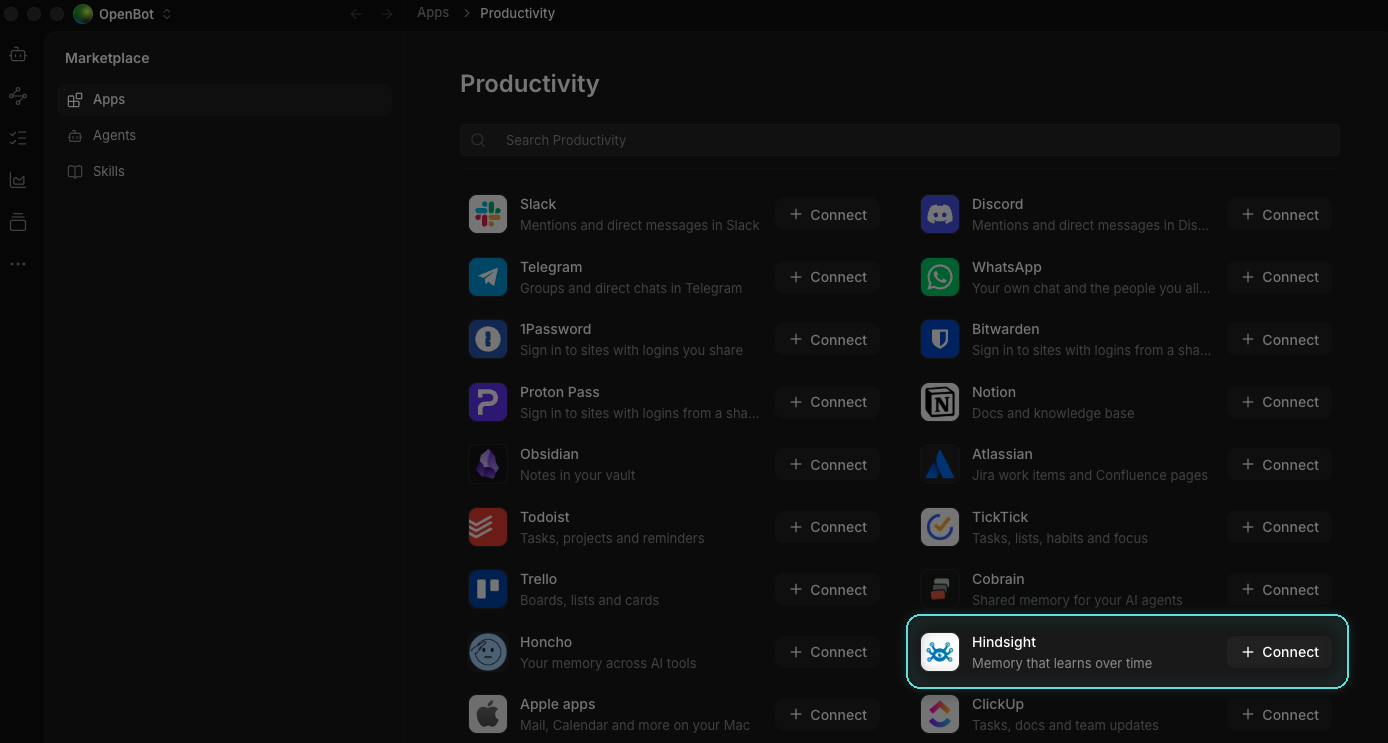
Hindsight is now a connectable App in OpenBot's Apps marketplace. Open the marketplace from the storefront button at the bottom of OpenBot's left rail, find Hindsight, select Connect, and every agent on your machine can share one long-term memory.
That last part is the whole point, so here is the problem it solves.
Persistent agents, forgetful teams
A team of agents that persists between sessions sounds like it should solve the context problem. It mostly does not. The agents come back. What they learned often does not.
Two things leak. A thread compacts as it fills, and the turns that go first are usually the ones where you explained the architecture, the deploy rules and the three things that always break. Separately, what one agent learns stays with that agent, so the teammate you briefed on Monday is not the teammate answering on Thursday. Add a second tool and the split widens again: each keeps its own context, and none of them share.
Persistent agents are only as good as what they remember.
OpenBot runs the team
OpenBot, by Nightly Labs, is a local-first desktop workspace for persistent AI teammates. It runs a team of agents on your own machine (Claude, Codex, Grok, Gemini, OpenCode, Cursor and Cline), each with its own workspace, its own task queue, and the ability to message each other. The agents are persistent: they sit between sessions, waiting for work.
That is the hard half. The missing half is a memory that persists with them.
What the Hindsight app gives your agents
Connecting the app adds Hindsight as an MCP server at the multi-bank address https://api.hindsight.vectorize.io/mcp, and every agent picks up three capabilities:
- Retain new facts and events as it works, rather than only at the end of a session
- Recall them by meaning, time and entity, so the right fact surfaces even when the words do not match
- Reflect over everything it knows to form mental models
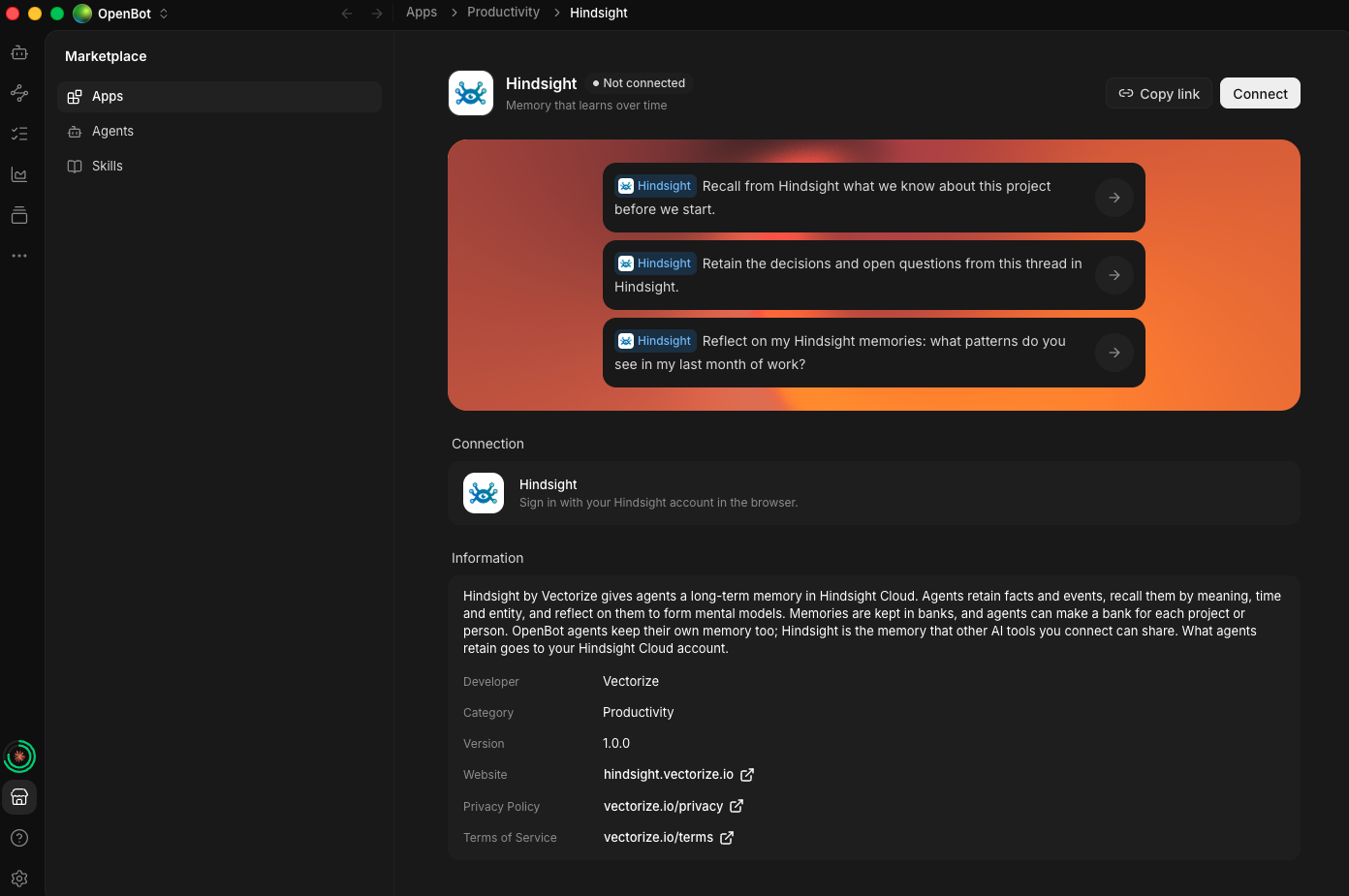
The listing ships with three starter prompts, one for each of those verbs, so you can try all three without writing anything yourself.
The first two are what you expect from a memory. The third is the one worth trying first. Ask an agent to reflect on what it has seen of your last month of work and it reasons over the whole bank rather than retrieving the nearest few snippets, which is how you get "you keep reverting changes to the billing module on Fridays" instead of three loosely related search hits.
Memories live in banks, and an agent can keep a bank per project or per person. Because this listing connects at the multi-bank address, agents also get list_banks, create_bank and get_bank_stats, and each memory tool takes an optional bank_id. Tell an agent which bank to use, in its instructions or in the task. An agent that names no bank gets one called default, created on first use, and memories there do not show up in other banks.
The part that actually changes your day
The differentiator is not the storage. It is who gets to read it.
Tell Codex on Monday that you only deploy on Fridays after the staging smoke test passes. On Thursday, in a new thread, ask Claude when you are allowed to deploy. It answers with the rule and the smoke-test condition, from a conversation it was never part of. No context file, no re-briefing, nothing pasted.
That is the demo, and it takes about two minutes to run yourself. Watching a second agent answer from the first one's conversation lands differently than reading about it.
OpenBot agents keep their own per-agent memory, and that does not go away. Hindsight is the shared, lasting layer alongside it: one bank every agent can read and write, that the other AI tools you connect to Hindsight can read and write too. Being honest about the seam, an agent now has two sets of memory tools and may still write something to the built-in store where nothing else will see it. The Hindsight Memory skill exists for that reason: it steers agents toward Hindsight consistently rather than leaving the choice to chance.
What your agents retain goes to your own Hindsight Cloud account.
How to connect it
The marketplace is not in the main navigation. It opens from the storefront button at the bottom of the left rail, under your servers and above the help button:

Click it, open Apps, find Hindsight, and select Connect. The listing is also browsable on the web at openbot.run/plugins/hindsight.
You have two ways in, and neither asks you for a URL.
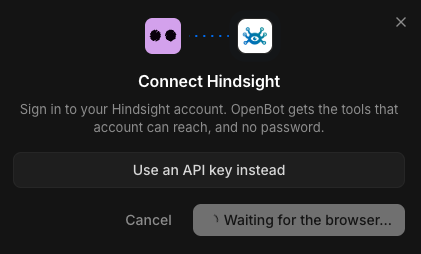
Sign in to Hindsight Cloud in the browser and pick the organization OpenBot may use. An Owner or an Admin of that organization has to approve it, and the approval screen is explicit about what you are granting: the client reaches the Hindsight MCP server for that organization with your authorized role, and sees your name and email address. Treat it with the same care as creating an API key, because that is effectively what it is.
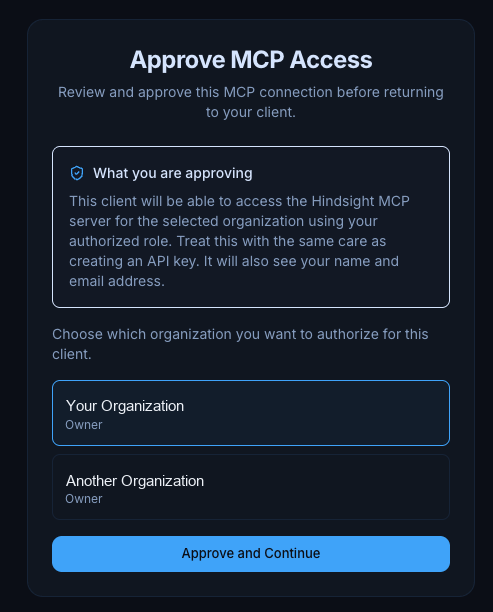
Or select Use an API key instead and paste a key from the Connect page of Hindsight Cloud. Keys start with hsk_, and OpenBot keeps them in encrypted storage.
Either way you land here:

Then enable the app for the agents that should share the memory.
Prefer to keep everything local? Hindsight is open source, and a self-hosted server exposes the same MCP tools. That path goes through OpenBot's MCP server settings rather than this listing, and the integration guide walks through it.
Start with one bank
The fastest way to see the difference is also the smallest. Connect Hindsight, point two different agents at the same bank, and ask the second one something only the first was told.
Connect Hindsight from OpenBot's Apps marketplace, or read the Hindsight documentation and the MCP server reference for the full tool list, bank-selection rules and self-hosting setup.