What's New in Hindsight Cloud: April–May Updates
Catching up on six weeks of Hindsight Cloud: a multilingual control plane, Alipay at checkout, a new Constellation graph view, and a refreshed Memories, Mental Models, and Operations experience.
 By Ben Bartholomew
Six weeks of Cloud work has landed since the last update. Two big rollouts on May 15 make the control plane usable in more languages and accept more ways to pay, and a wave of UI work on May 6 rebuilds how you browse memories, inspect mental models, and manage bank lifecycle. Here's the catch-up.
- Multilingual control plane — language picker in the top nav, 8 supported locales.
- Alipay at checkout — pay for credits with Alipay (支付宝) in addition to card.
- Constellation graph view — memories and entities as an interactive graph.
- A richer Memories view — tag filtering, full-bank search, ingestion charts, failed-consolidation drilldown.
- Mental Models, refreshed — staleness indicators, recall controls, observation history.
- Operations dialog upgrades — retry, cancel, filter, and raw JSON inspection.
- Export and import bank templates — portable bank configuration.
Multilingual control plane
The Hindsight Cloud UI is now fully internationalized. Use the language picker in the top navigation bar to switch between 8 supported locales: English, Spanish, French, German, Portuguese, Japanese, Korean, and Chinese (Simplified).
- Every page and dialog is translated — dashboard, billing, settings, team, API keys, usage, support chat, admin, and all bank views.
- Per-browser preference — your selected language persists across sessions.
- Documentation in Simplified Chinese — the docs site also has a language picker in its header for switching into 简体中文.
If you spot a translation that reads wrong in context, please open an issue — getting the technical tone right (vs. literal-but-awkward) is where machine translation routinely loses, and we'd rather hear about it than ship through it.
Alipay at checkout
You can now pay for credits with Alipay (支付宝) in addition to credit and debit cards. Alipay is offered at Stripe Checkout to customers in mainland China — the exact payment options shown depend on your locale and merchant configuration.
- Single-use authorization — Alipay payments are authorized one charge at a time, so they aren't saved to your account.
- Auto-recharge is card-only — to enable auto-recharge you'll still need to add a card. You can do this from the Payment Methods card after an Alipay purchase.
- Existing card flow is unchanged — Visa, Mastercard, American Express, and other major networks continue to work exactly as before.
Constellation graph view
The Memories Data view has a new Constellation visualization that lays out memories and their relationships as an interactive graph, and the Entities view gains a new Relations tab using the same engine to explore entity-to-entity connections.
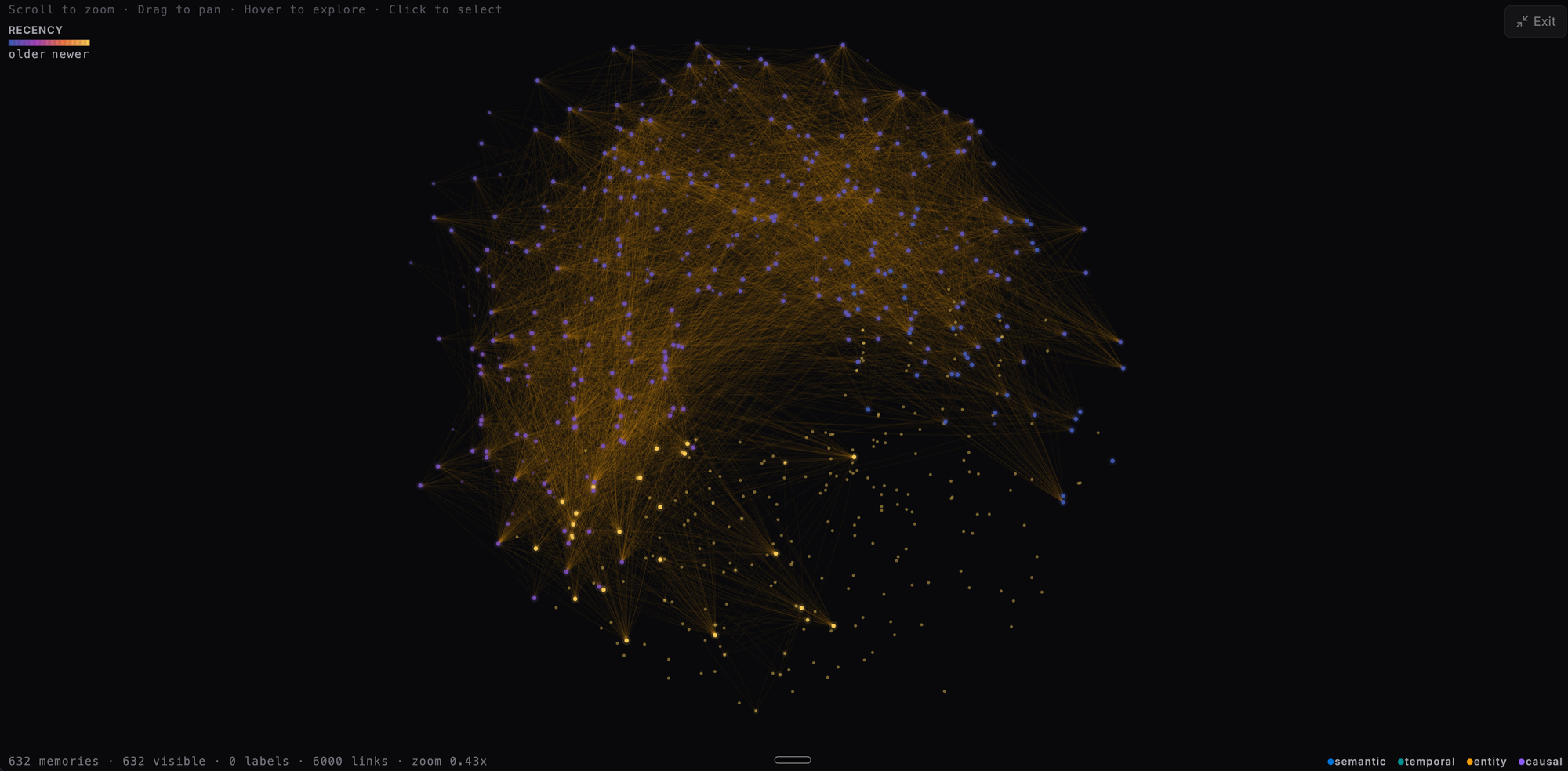
- Interactive layout — zoom, pan, and click any node to inspect the underlying memory or entity.
- Color-coded fact types so World Facts, Experiences, and Observations are easy to tell apart at a glance.
- Legend overlay explains each node and edge type.
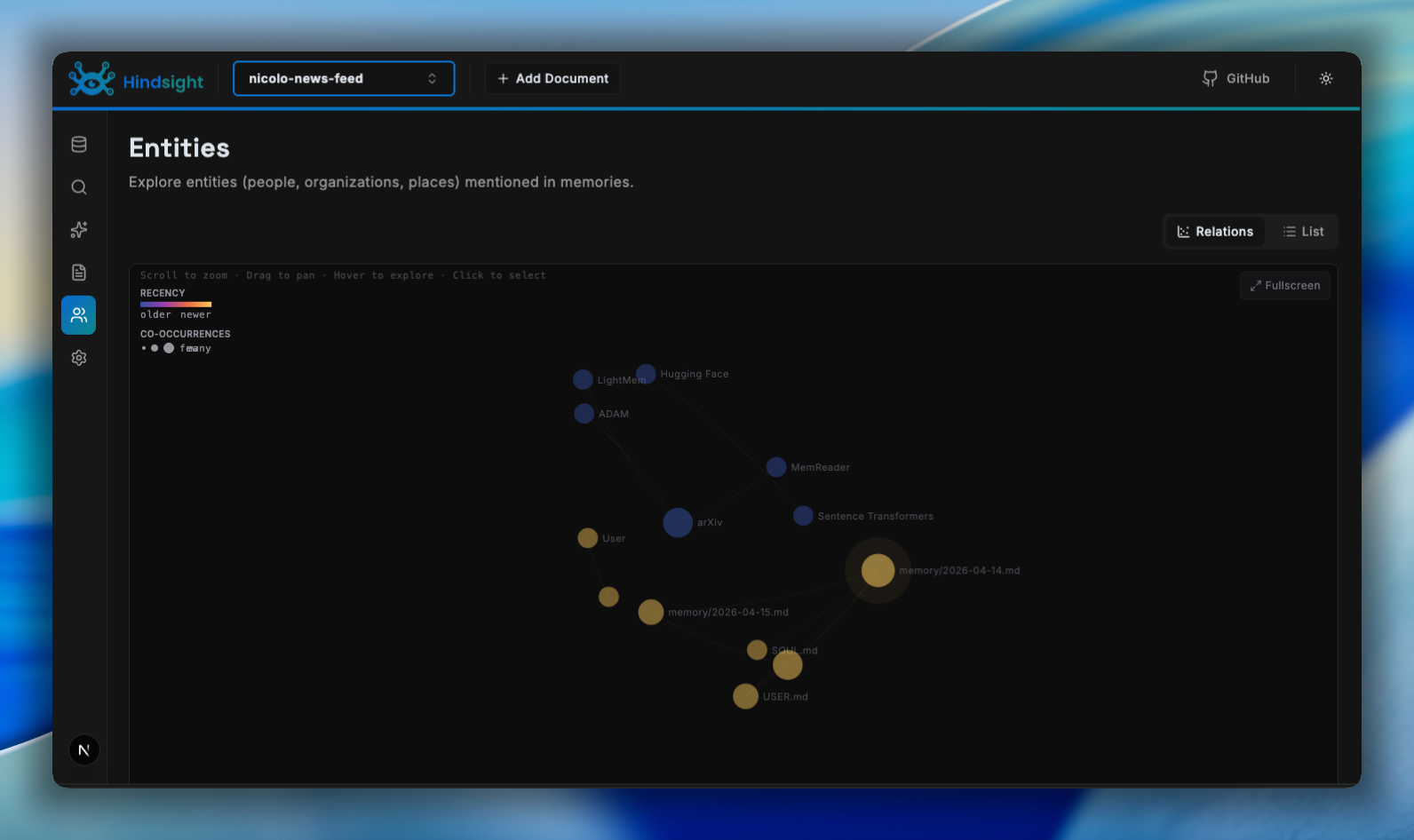
A richer Memories view
The Memories Data view picks up several quality-of-life improvements:
- Tag filtering — filter memories by one or more tags directly from the view.
- Server-side text search — search across all memories in a bank, not just the current page.
- Memories-ingested chart with a 24h / 7d / 30d period switcher on the bank stats page so you can see ingestion trends over time.
- Failed-consolidation drilldown — click a failure on the Consolidation card to see exactly which inputs failed and why.
- Empty-state CTA — banks with no memories now surface an Add Document button right in the data view.
Mental Models, refreshed
The Mental Models view has been rebuilt to surface staleness and observation history.
- Staleness indicators show when a model is older than the most recent memories that informed it, with a one-click refresh.
- Recall controls let you preview what a model returns and tune its source query without leaving the view.
- Near-fullscreen detail modal with CompactMarkdown previews on each card and an Observation History panel inside the memory detail to trace how a model evolved.
- Directive detail modal in the Think view for inspecting individual directives in context.
Operations dialog upgrades
The async Operations dialog gets a set of long-requested controls:
- Retry failed file-extraction operations directly from the row, no need to re-upload.
- Cancel pending operations, both from individual rows and from a new dialog-level Cancel action.
- Task-type filter narrows the list to a single operation kind (consolidation, file extraction, mental model refresh, etc.).
- Cancelled and Processing status pills for clearer at-a-glance state.
- Load raw and metadata JSON for any operation when you need to debug.
Export and import bank templates
The bank Actions menu now includes Export Template and Import Template so you can save a bank's mission, directives, traits, and structural settings as a portable file and apply them to a new bank.
- One-click export produces a JSON template you can check into version control.
- Import on creation lets you spin up a new bank pre-configured to match an existing one.
- Recover Consolidation action — also new in the Actions menu — re-runs consolidation for a bank when observations have drifted out of sync with the underlying facts.
And a round of UI primitive updates (cards, tables, status pills, dialogs) gives the entire control plane a tighter, more consistent visual style — every view inherits the new look automatically.
Try it
Hindsight Cloud is the easiest way to run Hindsight without operating it yourself — managed Postgres, OAuth for MCP clients, billing, multi-org, and now eight languages and Alipay at checkout.
Sign up at ui.hindsight.vectorize.io — the free tier is enough to try retain and recall against a real bank without entering a card.